Cudy TR3000
From TechInfoDepot
Jump to navigationJump to search
| abgn+ac+ax (AX3000) | |||||||||||||
|---|---|---|---|---|---|---|---|---|---|---|---|---|---|
| AX3000 2.5G Wi--Fi 6 Travel Router | |||||||||||||
 | |||||||||||||
| Homepage | Product page | ||||||||||||
| WikiDevi.wi-cat.ru | Cudy TR3000 | ||||||||||||
| 3rd Party Firmware | |||||||||||||
| dd-wrt | Status Unknown | ||||||||||||
| OpenWrt | Supported | ||||||||||||
| Tomato any flavor | Incompatible | ||||||||||||
| Gargoyle | Status Unknown | ||||||||||||
| Platform | |||||||||||||
| Brand • Model • Rev | Cudy TR3000 Rev1.2 | ||||||||||||
| FCC ID | 2APRGRT02 | ||||||||||||
| Board ID | 300100153 | ||||||||||||
| Type | travel router, wireless router | ||||||||||||
CPU1  | MediaTek MT7981BA | ||||||||||||
| CPU1 Type | ARM Cortex-A53 | ||||||||||||
| CPU1 Speed | 1.3 GHz ( 2 cores ) 64-bit | ||||||||||||
| Flash1 Chip | ESMT F50L1G41LB-104YG2M | ||||||||||||
| Flash1 Size | 128 MiB 134,217,728 B <br />1,048,576 Kib <br />131,072 KiB <br />1,024 Mib <br />0.125 GiB <br /> (NAND) | ||||||||||||
| RAM1 Size | 512 MiB 536,870,912 B <br />4,194,304 Kib <br />524,288 KiB <br />4,096 Mib <br />0.5 GiB <br /> (DDR3L SDRAM) | ||||||||||||
| RAM1 Chip | ESMT M15T4G16256A-DEB | ||||||||||||
| ETH chip1 | MediaTek MT7981BA | ||||||||||||
| ETH chip2 | Realtek RTL8221B | ||||||||||||
| Ethernet Port Count |
1-2.5GbE-WAN 1-1GbE-LAN | ||||||||||||
| Wired Standard | IEEE 802.3i/3u/3ab/3bz | ||||||||||||
| Stock bootloader | U-Boot | ||||||||||||
| Expansion IF types | USB 3.0 | ||||||||||||
| USB ports | 1 | ||||||||||||
| USB Hub Compatible | Untested | ||||||||||||
| Power | 5 VDC, 3 A | ||||||||||||
| Connector type | USB Female (Type-C) | ||||||||||||
| Serial Port (UART) | yes, 3.3V TTL, (115200 8N1) | ||||||||||||
|
Flags: | |||||||||||||
|
| |||||||||||||
| Other | |||||||||||||
|
Default SSID: Cudy-XXXX-5G (15 addl. devices) | |||||||||||||
| 3rd Party Firmware Support |
OpenWrt • (List | Dev | DLs) | ||||||||||||
| Retail | |||||||||||||
| FCC approval date | 08 June 2023 | ||||||||||||
| (Est.) release date | March 2023 | ||||||||||||
| EAN |
6971690793050 (UPC DB, On eBay) | ||||||||||||
| ASIN |
B0BXNCRVRC  , , multiple uses | ||||||||||||
| Country of manuf | China | ||||||||||||
| Radio 1 | |||||||||||||
| Chip1 | MediaTek MT7981BA | ||||||||||||
| Chip2 | MediaTek MT7976CN | ||||||||||||
| Wireless interface OUI | 80:AF:CA | ||||||||||||
| Antenna Connector Type | U.FL (internal) | ||||||||||||
| MIMO status | 2x2:2 | ||||||||||||
| Wireless Standard | IEEE 802.11b/g/n/ax | ||||||||||||
| 802.11ax | up to 574 Mbps | ||||||||||||
| 802.11n | up to 300 Mbps | ||||||||||||
| 802.11g | up to 54 Mbps | ||||||||||||
| 802.11b | up to 11 Mbps | ||||||||||||
| WiFi Operating Frequency | 2.4 GHz | ||||||||||||
| Radio 2 | |||||||||||||
| Chip1 | MediaTek MT7981BA | ||||||||||||
| Chip2 | MediaTek MT7976CN | ||||||||||||
| Wireless interface OUI | 80:AF:CA | ||||||||||||
| Antenna Connector Type | U.FL (internal) | ||||||||||||
| MIMO status | 2x3:2 | ||||||||||||
| Wireless Standard | IEEE 802.11a/n/ac/ax | ||||||||||||
| AX-QAM | up to 2402 Mbps | ||||||||||||
| 802.11ax | up to 1201 Mbps | ||||||||||||
| 802.11ac | up to 867 Mbps | ||||||||||||
| 802.11n | up to 300 Mbps | ||||||||||||
| 802.11a | up to 54 Mbps | ||||||||||||
| WiFi Operating Frequency | 5 GHz | ||||||||||||
| |||||||||||||
| |||||||||||||
For a list of all currently documented MediaTek chipsets with specifications, see MediaTek.
For a list of all currently documented Realtek chipsets with specifications, see Realtek.
For a list of all currently documented Cudy devices with specifications, see Cudy.
Overview
Hardware specification
- CPU: MediaTek MT7981BA @1.3GHz (Filogic 820)
- SoC: Dual-core ARM (Cortex-A53)
- Flash: 128MB (SPI NAND) @104MHz
- Memory: 512MB (DDR3L) SDRAM
- Wi-Fi: MediaTek MT7981BA/MT7976CN
- 802.11abgn/ac/ax Dual Band (2.4/5GHz)
- 2×2 2.4GHz + 3×3 5GHz (2×2 + Zero-wait DFS)
- Network: 1x 2.5GbE (WAN), 1x 1GbE (LAN) ports
- Power Source: 5V/3A via USB (Type-C) port
Flashing
 | NOTE: During configuration or flashing a device, the only things that should be hooked to the device is the computer and power. |
Flashing OpenWrt
Target: mediatek
Subtarget: filogic
Package architecture: aarch64_cortex-a53
Supported Since Commit
Support started version: 23.05.4
Current supported version: 25.12.5
Subtarget: filogic
Package architecture: aarch64_cortex-a53
Supported Since Commit
Support started version: 23.05.4
Current supported version: 25.12.5
LAN Hardware: MediaTek MT7981BA
LAN Comment: Realtek RTL8221B 2.5Gbe Phy
WLAN Hardware: MediaTek MT7981BA, MediaTek MT7976CN
WLAN Comment: 2.4GHz: 2x2:2 MIMO, 5GHz: 2X3:2 MIMO
Installation method(s):
see devicepage
Recovery method(s):
see devicepage
Comment:
Separate U-Boot Mod Image (UBI) is available for TR3000 128MB model to utilize full NAND storage space (additional ~45 MB). See Device Page for more info.
LAN Comment: Realtek RTL8221B 2.5Gbe Phy
WLAN Hardware: MediaTek MT7981BA, MediaTek MT7976CN
WLAN Comment: 2.4GHz: 2x2:2 MIMO, 5GHz: 2X3:2 MIMO
Installation method(s):
see devicepage
Recovery method(s):
see devicepage
Comment:
Separate U-Boot Mod Image (UBI) is available for TR3000 128MB model to utilize full NAND storage space (additional ~45 MB). See Device Page for more info.
| git • >> |
|---|
mediatek: add support for Cudy TR3000 v1 Hardware: - SoC: MediaTek MT7981B - CPU: 2x 1.3 GHz Cortex-A53 - Flash: 128 MiB SPI NAND - RAM: 512 MiB - WLAN: 2.4 GHz, 5 GHz (MediaTek MT7976CN, 802.11ax) - Ethernet: 1x 10/100/1000/2500 Mbps RTL8221B WAN, 1x10/100/1000 Mbps MT7981 LAN - USB 3.0 port - Buttons: 1 Reset button, 1 slider button - LEDs: 1x Red, 1x White - Serial console: internal test points, 115200 8n1 - Power: 5 VDC, 3 A MAC addresses: +---------+-------------------+-----------+ | | MAC | Algorithm | +---------+-------------------+-----------+ | WAN | 80:af:ca:xx:xx:x1 | label+1 | | LAN | 80:af:ca:xx:xx:x0 | label | | WLAN 2g | 80:af:ca:xx:xx:x0 | label | | WLAN 5g | 82:af:ca:xx:xx:x0 | | +---------+-------------------+-----------+ Installation: The installation must be done via TFTP by disassembling the router. On other occasions Cudy has distributed intermediate firmware to make installation easier, and so I recommend checking the Wiki for this device if there is a more convenient solution than the one below. To install using TFTP: 1. Connect to UART. 2. With the router off, press the RESET button. While the router is turning on, the button should continue to be pressed for at least 5 seconds. 3. A u-boot shell will automatically open. 4. Connect to LAN and set your IP to 192.168.1.88/24. Configure a TFTP server and an OpenWrt initramfs-kernel.bin firmware file. 5. Run these steps in u-boot using the name of your file. setenv bootfile initramfs-kernel.bin tftpboot bootm 6. If you can reach LuCI or SSH now, just use the sysupgrade image with the 'Keep settings' option turned off. |
Pictures
-
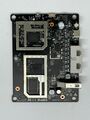 Board Top
 -
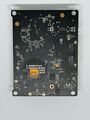 Board Bottom


See also
 | This article's use of red links may need cleanup. |
|
|
Categories:
- Cudy
- Embedded system/travel router
- Embedded system/wireless router
- Embedded System MediaTek
- Embedded System MT7981BA
- MediaTek
- Embedded System ARM
- Embedded System Cortex-A53
- Embedded System RTL8221B
- Embedded System Realtek
- Realtek
- OpenWrt Supported
- Embedded System MT7976CN
- Has Mimo Status
- Embedded System IEEE 802.11b/g/n/ax
- Embedded System IEEE 802.11a/n/ac/ax
- Dual-Radio Wireless Embedded System
- Wireless Embedded System
- Dual-Band
- Embedded System
- English Documentation


